Sep 2026Update
TikCut 5.4.1 - is now out!
@everyone
TikCut 5.4.1 is out! Tikky is everywhere!! 🚀
🟣 Tikky, everywhere
🔹 A new welcome screen where Tikky says hi
🔹 Tikky keeps you company while your video exports
🔹 Fresh Tikky art across the app, and every plan has its own Tikky
🟣 Know what’s left
🔹 See how many Tikky videos you have left, and when they refill
🔹 Weekly: 7 a week. Viral: 50 a month. GMV Maxxer: unlimited
🔹 Out of Tikky edits? Silencer still works, anytime
🟣 Learn by doing
🔹 A hands-on Tikky walkthrough the first time you edit
🔹 Replay it anytime from Account
🟣 Easier editing
🔹 Zoom deep enough to tap one second on a 10 minute take
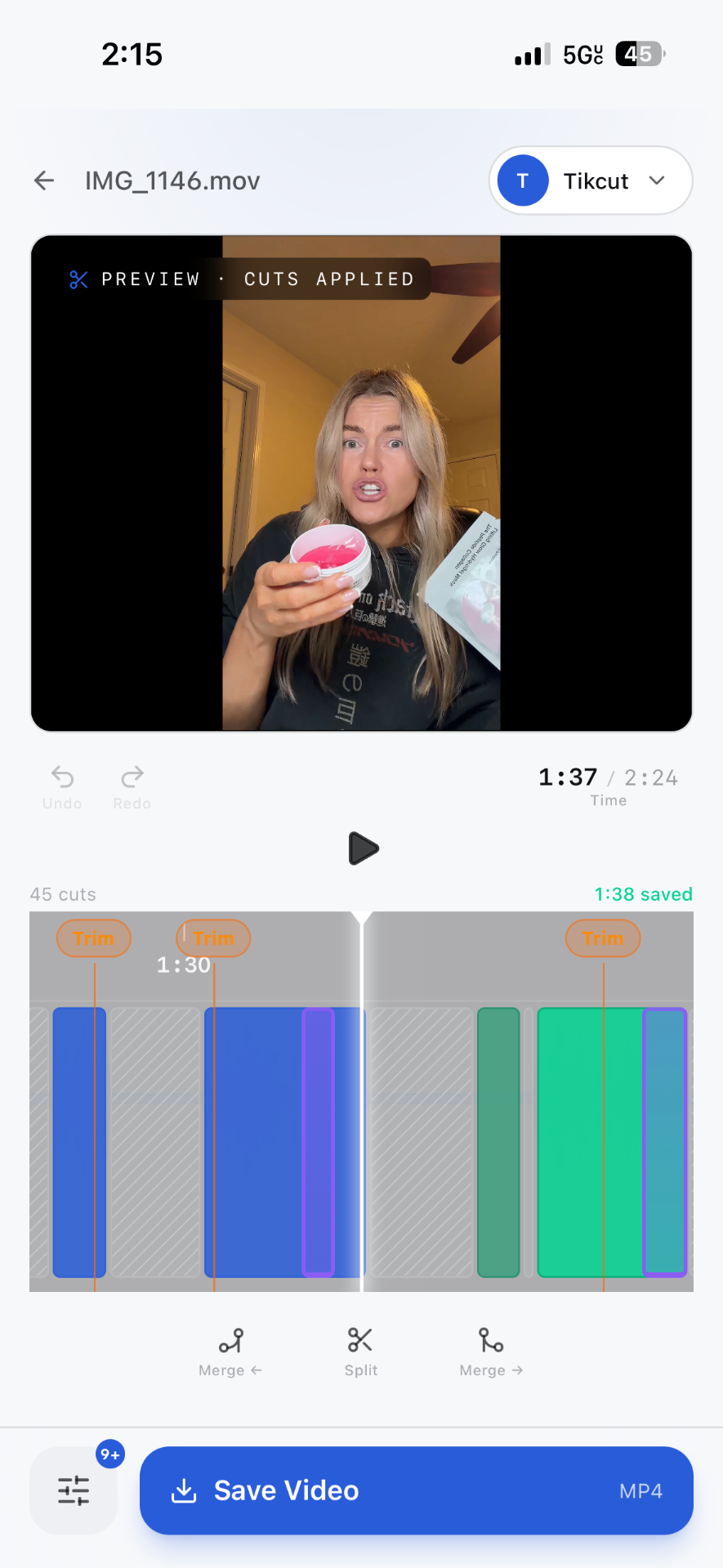
🔹 Cleaner cut labels on the timeline
🟣 Plans and Account
🔹 Plans that list exactly what's included
🔹 A tidier Account: tap your plan to compare and upgrade
🔹 New users see the free trial button again
💜 Plus fewer crashes and lots of small fixes.
You bring the takes, Tikky does the rest. He's here to help you post your best!!
Sep 2026News
Tikcut 5.4.0 is coming out soon for IOS!!
🟣 Voiceover, rebuilt around your voice.
🔹 Talk over your clips. Hit record and just talk. Your clips roll while you speak and pause while you think
🔹 Clean cuts. The moment you stop talking the shot stops too, so every cut lands right on your words
🔹 Redo a line. Flubbed it? Tap Redo and say it again. The old take is gone completely, no doubled words
🔹 Edit your B-roll while you talk, then fine-tune it on the timeline after
🔹 The preview now plays exactly like the export. No more skipping or stalling at the pauses
🔹 The mic starts first try, every time, even after going back and recording again
🔹 Voiceover has its own Tikky on the home screen 🎙️
🟣 Learn the editor by doing it.
🔹 A hands-on walkthrough the first time you edit. Tikky shows you around and you do each move yourself: play, zoom, flip a cut, split, merge, undo
🔹 Your video goes right back to how it was when the walkthrough ends. Want it again? Turn it on in Account
🟣 Easier editing on long videos.
🔹 Zoom now goes as deep as the video needs. On a 10 minute take, one second is still big enough to tap with your thumb
🔹 New + and − zoom buttons on the timeline
🟣 Also in this update
🔹 New users see the free trial button again
🔹 You can close the referral code box on the paywall if you opened it by mistake
🔹 Faster thumbnails and fewer crashes across the app
Sep 2026Update
Tikcut 5.3.2 - Officially Out!!
5.3.2 is officially out!!! N Tikky just got personal 🔥
🟣 A new first run:
🔹A few quick questions, including what language you speak in your videos, and Tikky starts on a Recommended style right away or learns from your own videos first.
🟣 Your language:
🔹English, Spanish, German or anything else. Tikky listens for the fillers and retakes of that language, and you can change it any time.
🔹Your favorite filler: Tikky keeps count of the word you reach for most and makes sure it never survives a cut.
🔹A fresh icon set across the whole app.
🔹Rename drafts and the video you're editing. See MB progress while videos import.
🔹Smarter retake cutting on takes with lots of repeated lines.
Sep 2026Update
Tikcut 5.3.1 is out!
🟣Tikky got better at knowing what's a mistake and what's your script. Repeated lines that belong in your video now stay in it, stutters and false starts get caught, and dead air inside a take gets cut properly.
🔹New: tap Labels above the timeline to see what every cut is a repeat, a false start, filler, a pause and why.
🔹Plus a scrollable language picker and several fixes.
Sep 2026Update
Tikcut 5.3.0 - Officially out!
Coach is here. Tikky has been editing your videos all along, and now he tells you what he's learned about how you deliver.
🟣 WATCHABILITY
🔹 Every Tikky edit gets a score built from three things he can actually measure: how fast your hook lands, your pace, and whether your energy held
🔹Tap any video to see the reason behind its number, not just the number
🟣 WHAT I NOTICED
🔹Three notes a week on your delivery: fillers, retakes, how long your openers take to land, what got cut and why
🔹Every note comes with one specific thing to try on the next video
🟣 ANALYZE A SCRIPT BEFORE YOU FILM
🔹 Paste a script and get it read back: whether your first line is a hook or a warm-up, whether the middle keeps the promise it made, and where the product lands
🔹Up to three fixes and two rewritten opening lines, in your own words, never invented claims
🟣 YOUR LANE
🔹The product categories you talk about most, ranked, with the specific products underneath
🟣 STREAKS AND LEVELS
🔹Days in a row, videos coached, and a level that moves as you keep going
🟣 SAVE ALL, PROPERLY
🔹The batch queue exports every finished video to Photos in one tap
🔹 Tells you which one it's on, and now saves the edits you made rather than the first cut
🟣 NOTIFICATIONS
🔹Turn them on in the Account settings and we'll tell you when something's actually worth opening the app for
🟣 ALSO NEW SINCE YOUR LAST UPDATE
🔹Batch editing. Hand Tikky up to 10 videos at once. He works through them one by one and each is ready to review the moment it's done
🔹 A new home. Drop your video onto Tikky and pick your editor from one row: Tikky, Talking head, Voiceover, B-roll or Overlays. Tikky changes pose with every mode
🔹Voiceover, right where you are. Choosing Voiceover opens the composer on the home screen instead of a separate page
🔹 Faster, steadier edits. Transcription now switches providers automatically when
Sep 2026News
TikCut 5.3.0- Coming Soon!
Soon you will be able to Meet Tikky on your home screen, and let it edit in batches!
⚫️ Batch Editing!
You can now queue up to 10 videos at once. Tikky will make his/her through them one by one, and you can review them as soon as each one finishes.
⚫️ A New Home Screen!
Drop a video onto Tikky and pick your style right from the main menu (Tikky, Talking head, Voiceover, B-roll, or Overlays)
⚫️ Instant Voiceovers!
The Voiceover tool now opens directly on the home screen instead of booting you to a separate page.
⚫️ Faster Edits!
We optimized how the AI reads clips and fixed transcription lag. Basically, your edits will process much faster and stop stalling out!
⚫️ Bug Fixes & Cleanup!
We cleaned up the plans screen to make it easier to read. We also finally fixed those annoying Apple/Google sign-in bugs and killed a glitch that was causing endless loading screens!
Sep 2026News
Heads up!
A Quick Update from the TikCut Team 👋
Hey everyone! We wanted to give you a heads-up that our AI editor is currently experiencing a small technical hiccup, which may cause slightly slower processing times for a bit.
Our team is already on it and working to get things running smoothly again as quickly as possible.
We appreciate your patience — thanks for being part of the TikCut community! 💙
Sep 2026Update
Tikcut 5.2 is out!
Your AI editor just got sharper!
* Precision Cuts:
The AI now edits sentence-by-sentence, ensuring cuts land cleanly between words rather than interrupting them.
* Auto-Trimmed Pacing:
Dead air at the start and end of every line is automatically removed for a snappy, effortless flow.
* Smart Take Selection:
Repeated lines and false starts are instantly filtered out, leaving only your best delivery.
* Seamless Audio Cleanup:
Distractions like laughs, coughs, and heavy breaths between sentences are automatically muted.
* Personalized Insights:
The new AI tab reveals what the editor has learned about your unique style, including your talking speed, pacing preferences, and take habits.
New Features & Enhancements
* One-Tap Sharing: Send finished videos directly to TikTok or Instagram with a single tap.
* Advanced Overlays:
Includes new undo/redo functionality and precise timing controls for moving images.
* Bulk Draft Management:
Easily select and delete multiple drafts simultaneously to clear out clutter.
* Refreshed Interface:
Enjoy updated, modern designs across the loading screens, account page, and export menu.
* Performance Polish:
Routine bug fixes and under-the-hood optimizations for a smoother editing experience.
Aug 2026News
Tikcut 5.2 - Smarter and Sharper!
Your AI editor is seriously about to get sharper this coming
* Precision Cuts:
The AI now edits sentence-by-sentence, ensuring cuts land cleanly between words rather than interrupting them.
* Auto-Trimmed Pacing:
Dead air at the start and end of every line is automatically removed for a snappy, effortless flow.
* Smart Take Selection:
Repeated lines and false starts are instantly filtered out, leaving only your best delivery.
* Seamless Audio Cleanup:
Distractions like laughs, coughs, and heavy breaths between sentences are automatically muted.
* Personalized Insights:
The new AI tab reveals what the editor has learned about your unique style, including your talking speed, pacing preferences, and take habits.
New Features & Enhancements
* One-Tap Sharing: Send finished videos directly to TikTok or Instagram with a single tap.
* Advanced Overlays:
Includes new undo/redo functionality and precise timing controls for moving images.
* Bulk Draft Management:
Easily select and delete multiple drafts simultaneously to clear out clutter.
* Refreshed Interface:
Enjoy updated, modern designs across the loading screens, account page, and export menu.
* Performance Polish:
Routine bug fixes and under-the-hood optimizations for a smoother editing experience.
Aug 2026News
5.1’s benchmarks are in!
▪ The benchmarks are in!
We put both editors on a controlled test bench and measured the output rather than guessing at it. Here is what is landing.
▪Zero dead air!
The AI Editor's cut contains none at all. Not trimmed down — structurally absent.
▪ Zero damaged words!
Every cut lands in the gap between sentences, so clipping a word isn't unlikely, it's impossible by design.
▪ It reads what you said.
A 22-second take became 11 seconds, with the repeated line gone and your better delivery kept.
▪ We tried to break it!
We degraded the timing data by ±80ms, the kind of error real transcription produces. Zero miscuts.
▪ Talking Head stays the fastest way to a cut and still works offline. The AI Editor is the one that understands what you said. Both arrive in 5.1.
▪ Want the full benchmark breakdown?
We're posting the complete results in our Discord, along with early looks at what's coming next. Tap below to join.
Aug 2026News
Tikcut 5.1 is on the way!
Soon, Your editor will be rebuilt!
Your AI editor no longer trims silence and hopes the words survive. It now writes your final script first:
it reads your entire raw take, picks the best delivery of every line, and removes everything that didn't make the cut: retakes, false starts, fillers and the dead air around them, together.
New in the AI editor
• It writes the script first. When you say a line twice, it keeps the one that sounded better, not just the last one.
• It hears you properly. Full-accuracy transcription plus a second pass that audits the first, so it cuts around the words you actually said.
• Nothing quietly disappears. If it drops a line that was only said once, that line comes back automatically…every cut is one tap from returning.
• Tighter endings. A final sweep catches the dead air the earlier passes left behind.
Also new
• Two plans, Viral and Influencer, laid out side by side so you can see exactly what you get.
• Earn: refer people, rank up from Bronze to Legend, and take up to 30%.
• A new intro that shows you a real before-and-after.
• Export progress that actually moves.
• Back out of a talking-head session and it's waiting in Drafts.
Fixed
The MB counter when importing, the double splash screen, promo posters cropping.
Aug 2026Update
Tikcut 5.0 is out!!
TikCut 5.0!! The Top 1% update
This is our biggest release yet, and it comes with a promise: the price only goes up from here but not for you.
• Become Top 1%. Subscribe this week and you lock in every feature — including your personal AI editor — at $29.95/mo for as long as you stay. New tiers (Viral $39, Influencer $99) are landing soon; Top 1% members never move.
• A new welcome. See exactly what TikCut does in the first ten seconds: a real raw take — ums, pauses, do-overs — then the same clip, edited in one tap.
• Your AI editor never loses your work. Back out mid-edit and the whole session saves to Drafts as an AI Edit, ready to resume exactly where you left off.
• Cleaner final cuts. A new read-through pass sweeps the last crumbs out of your script — leftover fragments and doubled words at cut points are gone.
• A cleaner home. Everything fits on one screen, right above the dock.
• Daily drops. Member offers and news now land right in the app the moment you open it.
Plus polish and fixes across the board. Film it messy, post it clean!
Jun 2026Feature
Auto Zoom hits the mobile app
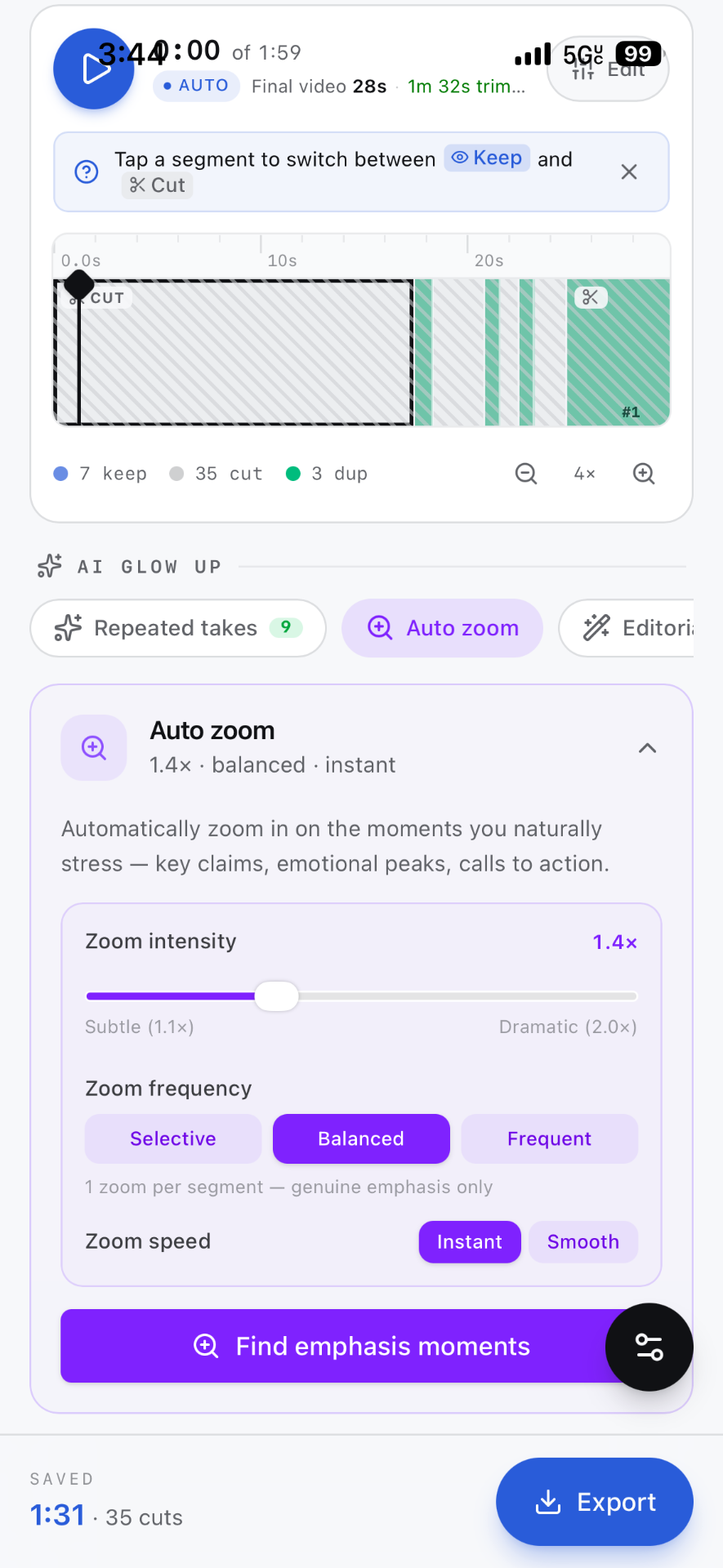
The AI scans your transcript for emphasis moments and punches in 1.4× at exactly the right beat, live in the preview, baked into the export. Same engine as the web editor, now in your pocket.
Jun 2026Feature
Multi-take mode, film it five times, post the best one
Upload every take of the same video. TikCut analyzes each one, lets you cherry-pick segments across takes on a master timeline, and stitches a single clean export.
May 2026Release
TikCut is now a PWA, install it on your home screen
Install straight from your browser on iOS and Android. Core assets are cached for offline access, so you can load a project and scrub the timeline even without a connection.
May 2026Product Update
Silence removal now works on Safari and Firefox
An AudioContext fallback handles cross-browser waveform analysis without WASM downloads. The 'unsupported browser' gate is gone, every modern browser cuts now.
May 2026Feature
Script Polish, filler words don't survive the cut
An LLM scans your transcript for stutters, trailing fillers ('um', 'like', 'you know'), and sentences that restart mid-thought. It surfaces every cut point so you approve them in one tap.
May 2026Behind the Scenes
How we export video in the browser without a server
WebCodecs for frame-accurate decoding, FFmpeg.wasm for muxing, all inside a Web Worker. Your video never leaves your device, silence removal and trimming happen entirely client-side.